
Unofficial Suno Player
Unofficial Suno Player plays user-owned audio in a workspace and turns song ideas into manual, reviewable briefs. It does not automate provider spending or depend on captured browser credentials.
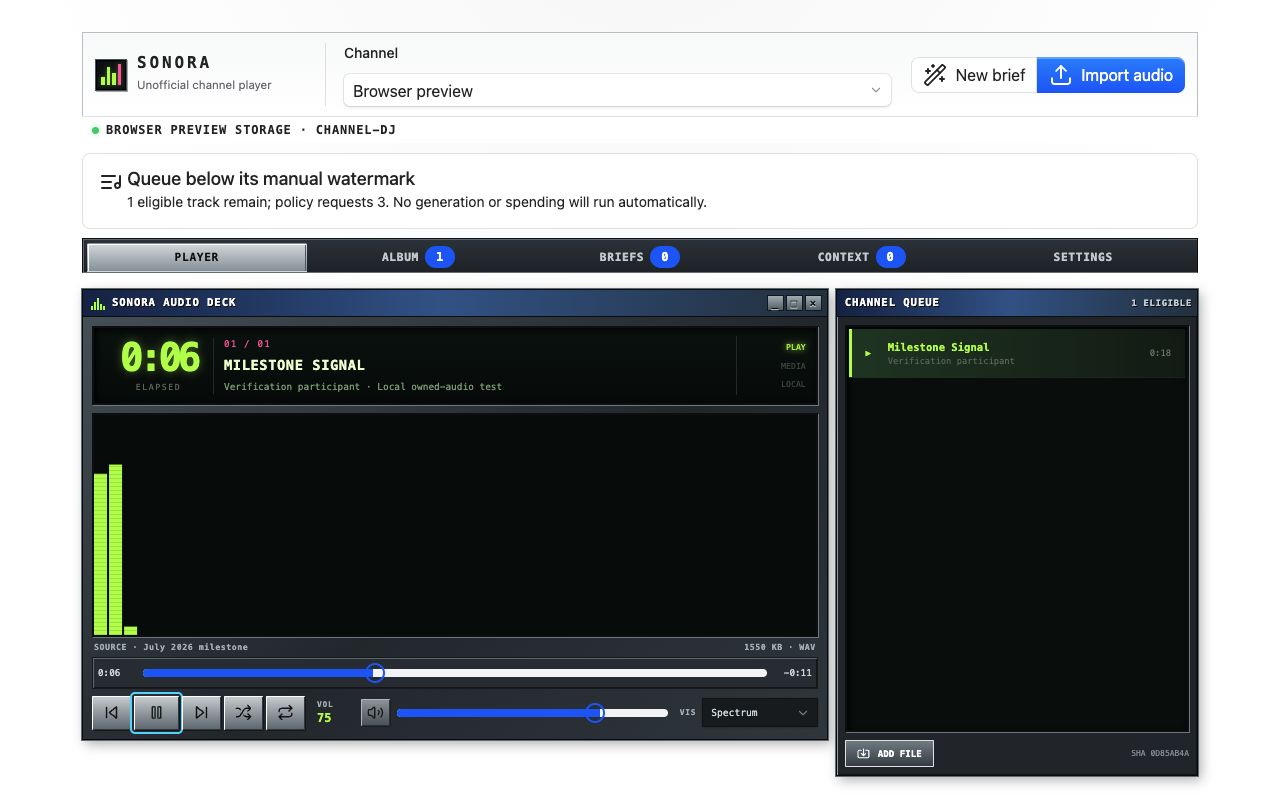
Why It Was Made
Media experiences pressure an SDK in different ways from dashboards. This example explores responsive playback, user-owned binary input, channel context, event publication, specialist-assisted briefs, and package-declared workflows while keeping unsupported provider automation visibly absent.
Surface Map
The code uses sdk.auth, sdk.authorization, sdk.channels, sdk.presence, sdk.specialist, sdk.storage, and sdk.workflows.
Design Boundaries to Notice
- Imported audio is decoded locally. The app does not send it to a provider as a side effect of playback.
- JSON metadata can be retained, but the current public SDK does not provide readable persisted binary artifacts. The UI explains when a user must re-import audio.
- A brief can become a declared workflow input without claiming that a provider generation API exists.
- Published playback and brief events are contracts for other consumers, not an excuse to expose the entire player store.
What to Read in the Code
- Package descriptor for UI, event, workflow, and permission declarations.
- Media module for local audio handling.
- Conversation module for channel and specialist composition.
- Workflow-host catalog for package-declared workflow code.
Run It Locally
Link apps/unofficial-suno-player/tap-package once. The developer command rebuilds both the desktop and workflow-host targets into that package output.
Browse the source or return to the example gallery.