
Browse Specialists
The Specialists marketplace is where you find pre-built AI agents to add to your workspace. Once added, a specialist becomes available to mention with @ in any channel.
You do not need to visit the marketplace to start chatting. See Your First Channel for the natural flow that adds a specialist on first mention. This page is for when you want to discover and install more specialists in advance.
Open the Marketplace
Click the Specialists icon in the app rail on the left side of the app.
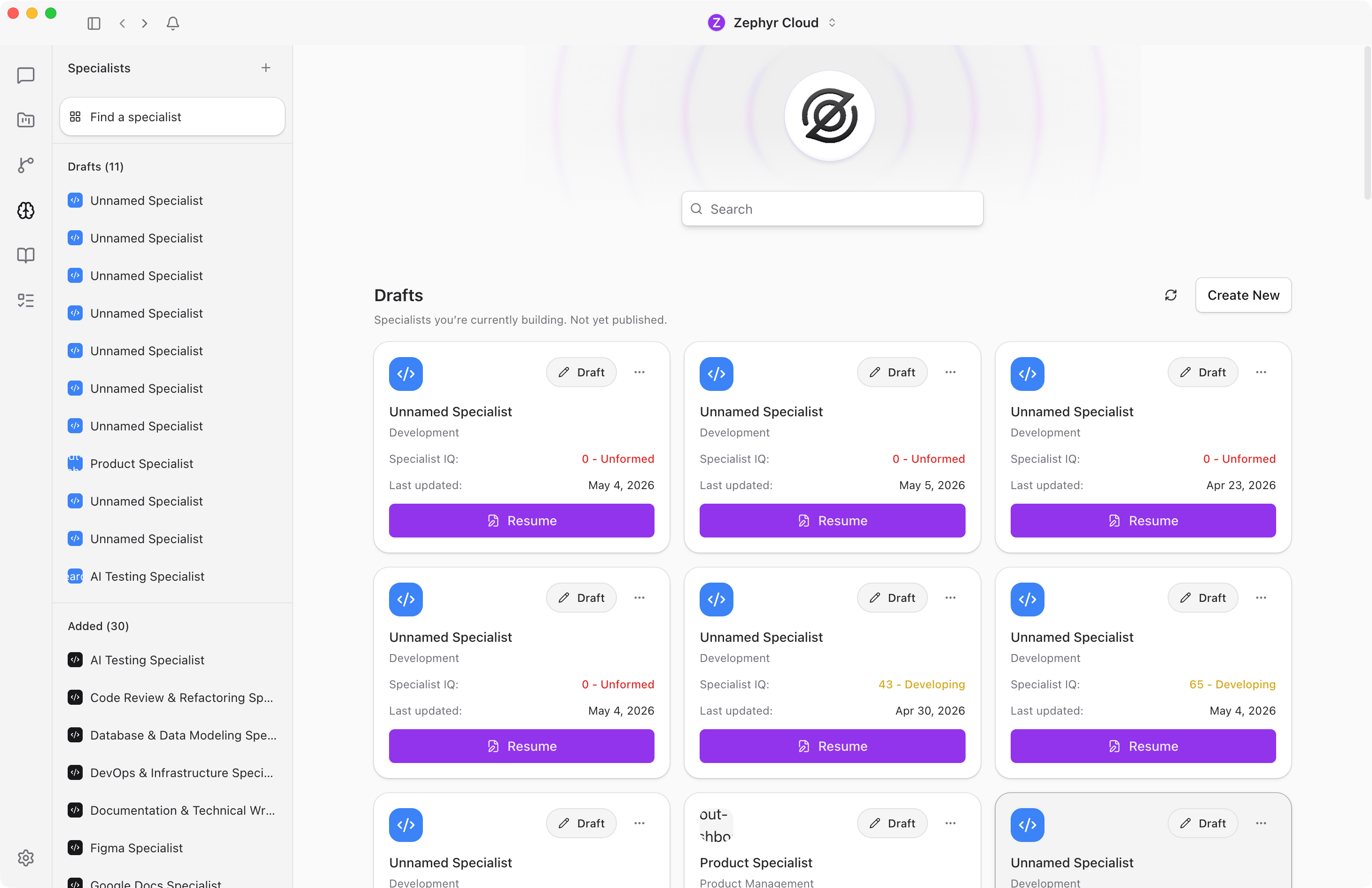
You will see platform suites, bundled specialists, and category groups. Each card shows the specialist name, publisher, and a short description of what it does.
Use the search bar at the top to filter by name or keyword. Click any card to read its full detail page before deciding to add it.
Add a Specialist
Pick any specialist that looks useful and click the Add button on its card. The button changes to a green Added badge and the specialist becomes available to mention in every channel in your workspace.
Try Welcome Specialist for The AI Platform first. It is built to introduce you to the platform and will walk you through what specialists can do.
You can add as many specialists as you want. Browse by category, search by keyword, or click any card to explore.
Build Your Own
If you cannot find a specialist that fits your needs, you can build one from scratch. The specialist builder lets you define a persona, attach knowledge sources, wire up tools, and even chat with an AI assistant that helps refine the configuration as you go.
Click the + button on the Specialists page to open the builder, or read the Specialist Builder guide for a walkthrough.
What to Explore Next
- Your First Channel to start a conversation
- Specialists guide for more on building, configuring, and using specialists