
Permissions
Open Settings → Permissions to review saved permissions, their original approvers, and recorded activity.
Review a permission request
A pending permission request stays expanded so you can inspect the action before deciding. After the app confirms the decision, the request collapses and names the person who approved or rejected it. Expand the row to inspect the original action and decision time. Several consecutive completed requests can share one collapsed group.
Selecting an approval button does not mean the decision has been saved. If confirmation fails, the request keeps its retry controls. A reusable permission also has a separate save status. Reusable save not confirmed means the selected reusable scope has not been confirmed; it does not establish permission for later calls.
Manage saved permissions
Each saved permission identifies its original approver and who can use it. If Jordan starts a specialist and Maya selects Always allow, Maya remains the approver while the personal grant benefits Jordan's future runs with that specialist across workspaces. A channel grant applies within its channel.
The saved-permission row names the approver and beneficiary.
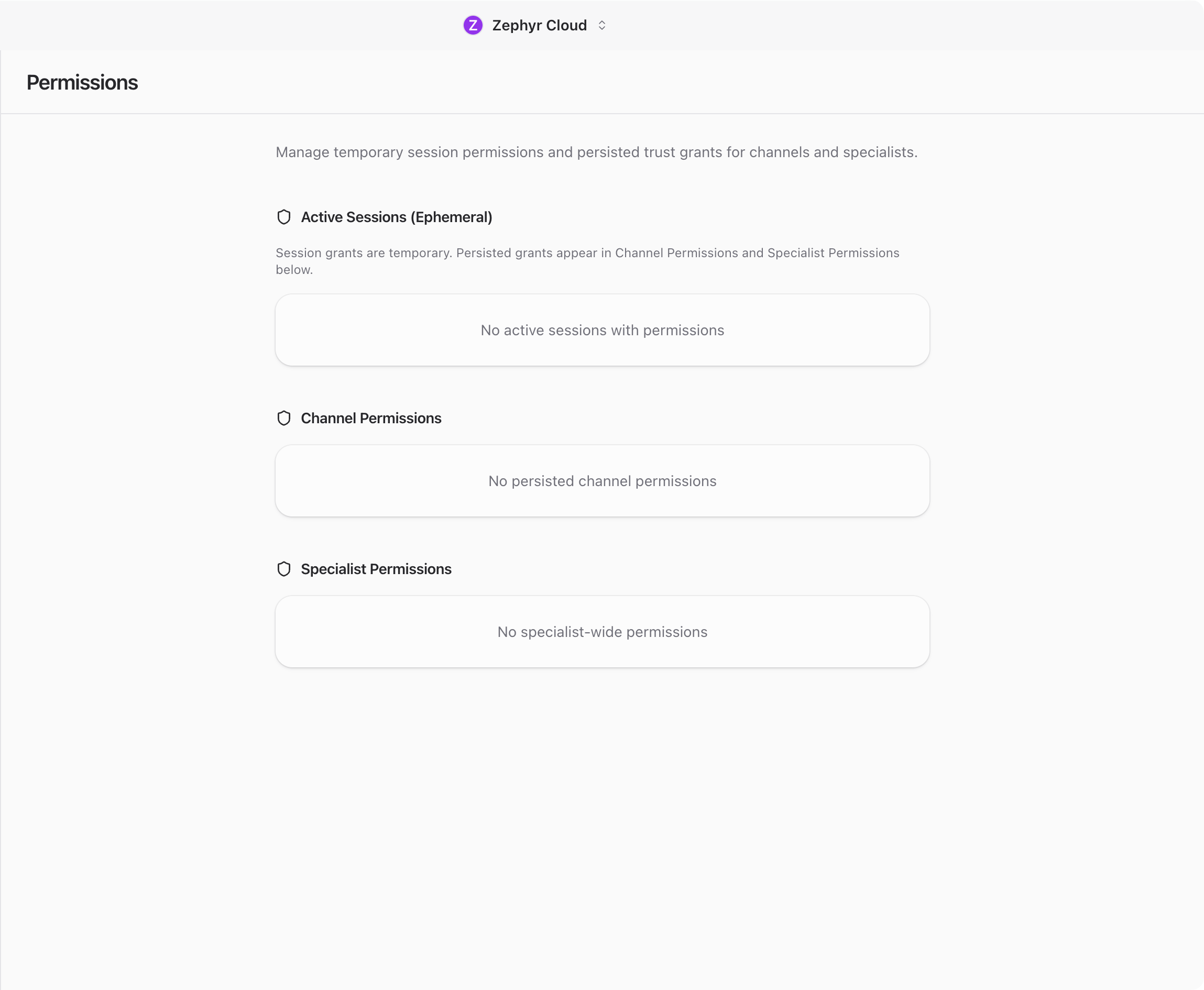
Expand a saved permission to inspect its approval project, tool version, and exact permission details. Revoke prevents new uses and new execution attempts after revocation is confirmed. It cannot undo an action already running. A failed revocation keeps an explicit retry message.
Permissions from before this system are not imported. Approve protected operations again when prompted.
Review approval history and permission use
You can view your own approval history. Workspace owners and admins can inspect anyone's history within that workspace, including recorded people who are no longer in the current member list. Other members cannot browse another person's report. Details inside a conversation follow that conversation's access rules.
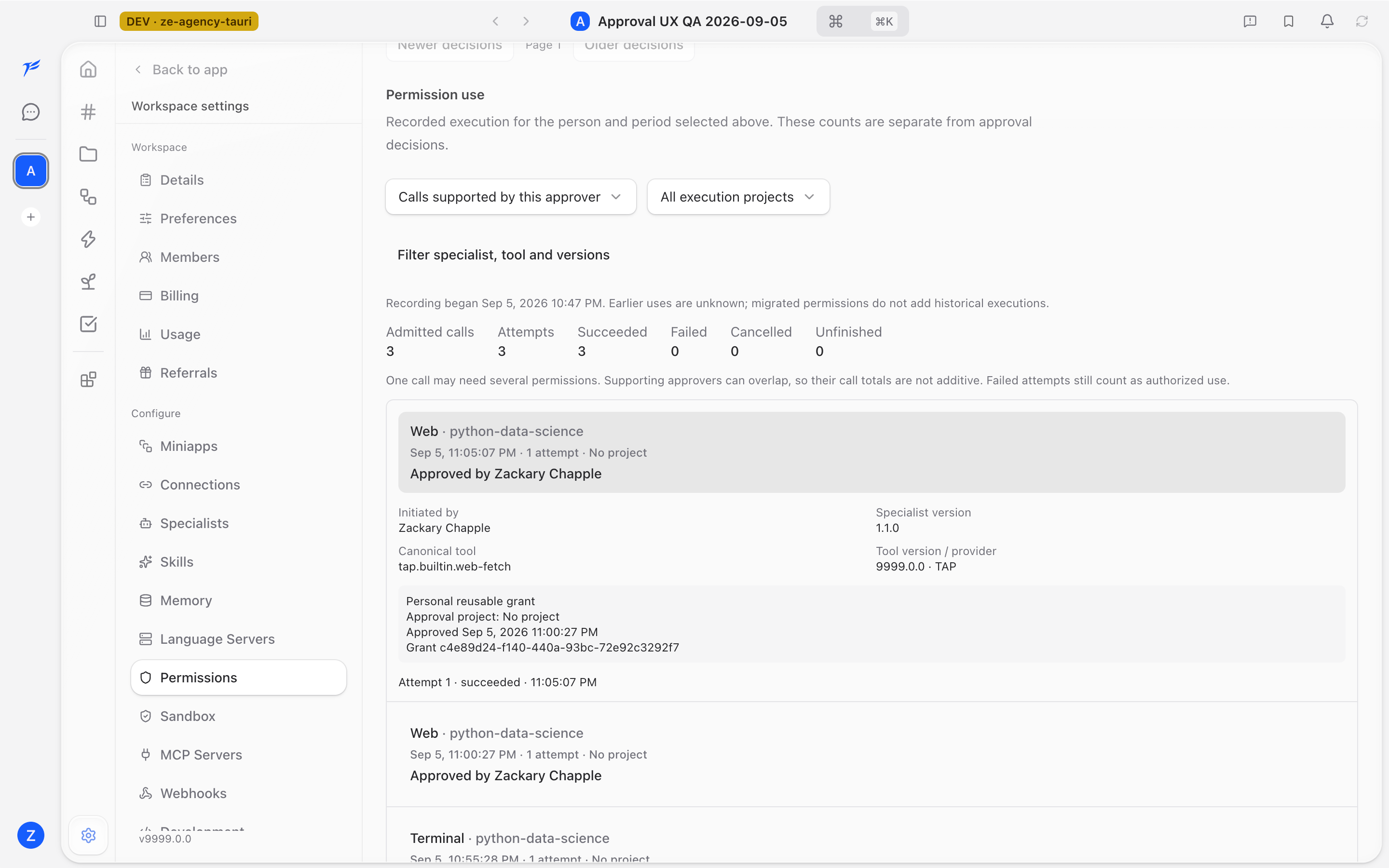
Approval history counts recorded decisions. Permission use counts calls that passed the permission gate, with attempts and their results shown separately. For example, one admitted call that fails and then succeeds has one call and two attempts. An attempt without a confirmed result remains Unfinished.
Choose whether to show calls supported by the selected approver or calls initiated by that person. Filter by execution project, specialist, canonical tool, or exact version. No execution project is distinct from a specific project. Enter the project ID and select Apply filters for a specific project.
Expand a call to compare the initiating person, original approval project, execution project, supporting approvers, and attempts. Several approvers can support one call, so their call totals can overlap. The coverage date marks when recording began; earlier executions remain unknown.
Outside a workspace, My activity in personal conversations shows activity for your own account. It does not grant access to another person's private conversations.
Session and system permissions
Session permissions are temporary permissions for current work. On supported desktop platforms, the same settings page includes computer-use and system-permission controls. Accessibility and Screen Recording may be needed for computer-use workflows.
Multi-person requests in conversations
A multi-person approval request keeps its chosen voters and required approval count. Each eligible person has one final vote. Any rejection ends the request and requires a reason. Pending requests can collect comments; completed requests collapse with the recorded voters and outcome. These votes do not themselves grant tool permissions.
Older message-authored approval history is labeled unverified and read-only. Its displayed votes are not treated as authenticated approval records.