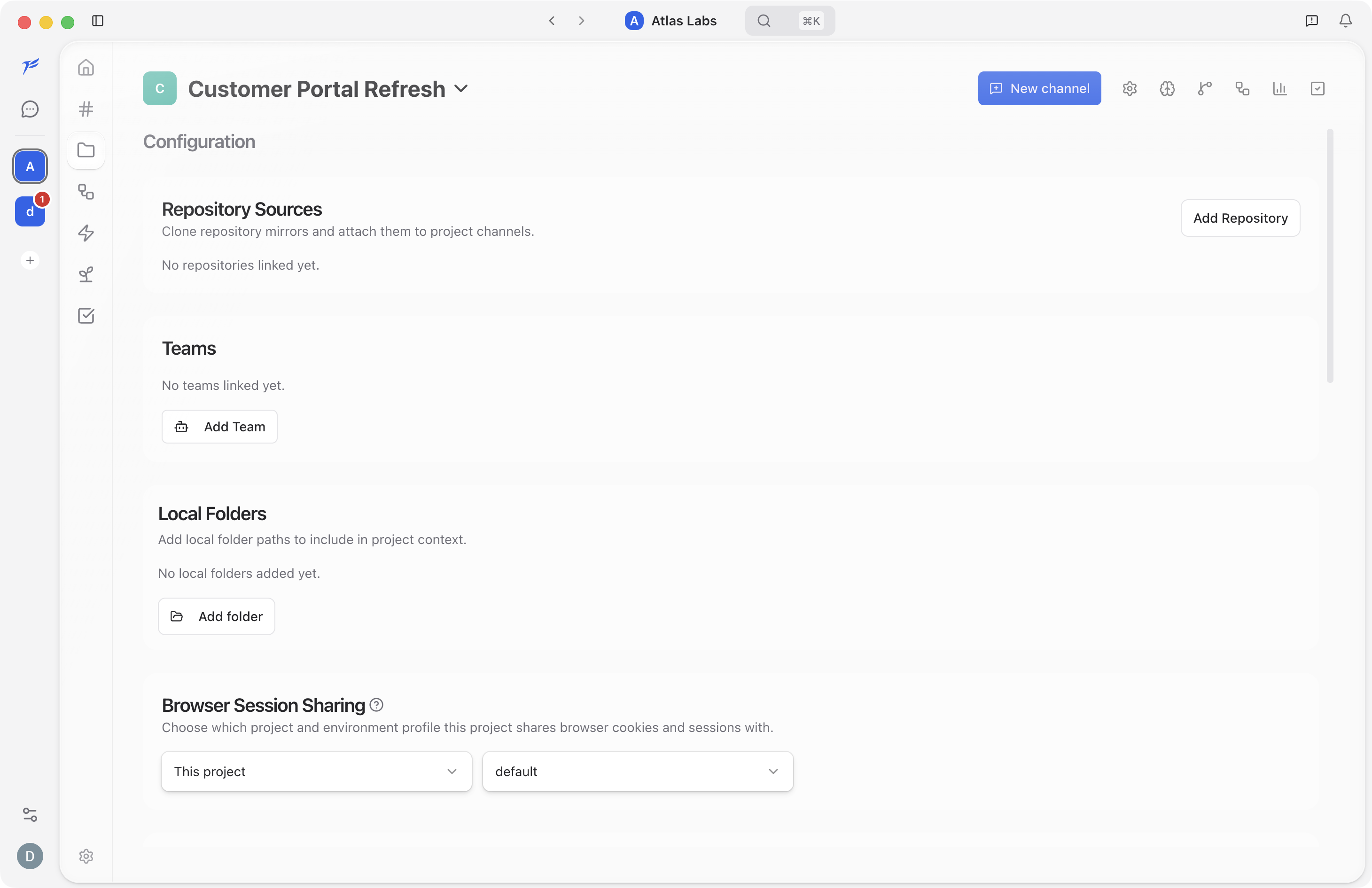
Configuration
When you open a project, the Configuration page is the default view. It is split into four sections that control how the project connects to your code and tools.
Repository Sources

This section shows your cloned repos. Each repository entry displays the repo name, URL, branch selector, and mirror status. Click Add Repository to clone a new remote repo — Zephyr probes the URL and shows the default branch and estimated clone size before you confirm.
If a clone fails, a Retry button appears next to the error message. Once cloned, the repository is available to all conversations and specialists in the project.
Local Folders

Lists any linked local directories. Click Add folder to browse for a new one, or click the remove button next to an existing path to unlink it.
Local folders are indexed the same way cloned repositories are. Specialists can read and reference files from these folders during conversations.
Git Worktrees

Toggle Enable Git worktrees to create isolated branches per chat. Each conversation gets its own working copy so concurrent chats do not conflict with each other. You need at least one cloned repository before you can enable worktrees.
When worktrees are enabled, a Remote Sync section appears with two controls:
- Check for updates scans upstream branches for changes.
- Update all pulls the latest changes into every worktree.
See Git Worktrees for a deeper look at working with worktrees in project chats.
Project Environment

Controls sandbox settings for the project. The Environment panel has the following options:
- Network access. Choose between Unrestricted, Local only, or Disabled. The default is "Use project defaults".
- Allow PTY. Keep terminal access available in project chats.
- Allow Git config. Let commands read repository Git settings.
- Auto seed on create. Copy ignored directories (like
node_modules) from an existing sibling worktree when a new one is created. - Setup commands. Commands that run after worktree creation — one per line. For example,
pnpm install. - Seed directories. Directories to copy from an existing worktree, such as
node_modules,.next, ortarget. - Extra allowed write paths. Additional writable directories outside the mounted project roots — useful for caches or global stores like
/tmp/zephyr-cache.
Click Save Environment to apply your changes. These settings apply to every conversation in the project. For workspace-wide defaults, see Sandbox settings.